
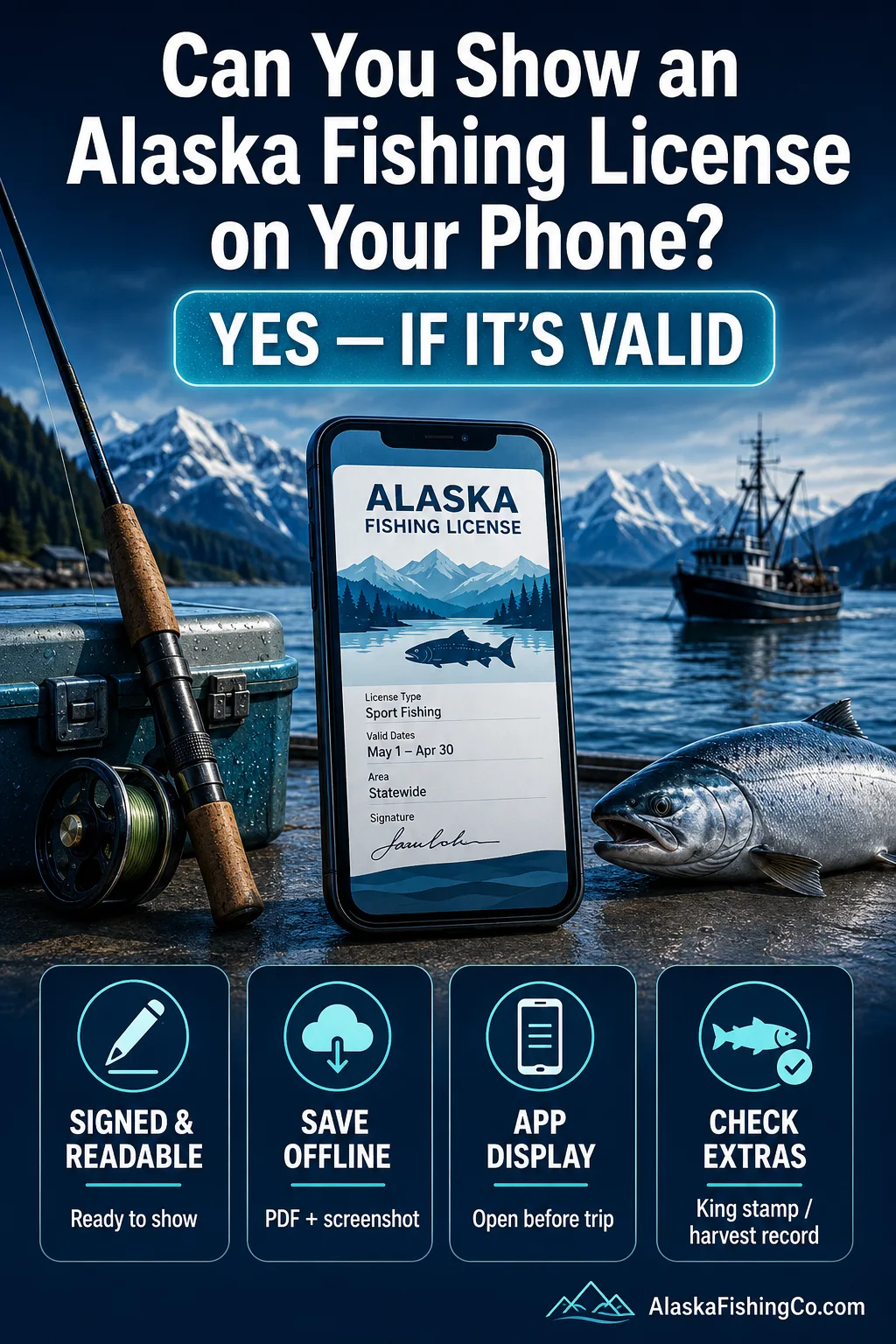
Yes, you can show an Alaska fishing license on your phone, as long as the license is valid, signed when required, and available when an officer asks to see it. Alaska allows paper and electronic sport fishing licenses, including licenses saved on a phone, eSigned licenses, and licenses displayed through the ADF&G mobile app.
For most visitors, the safest setup is simple: buy the license online, save the PDF or eSigned license to the phone, and keep enough battery to show it in the field. If you are fishing for king salmon, fishing with a charter, or keeping fish with annual limits, there may be extra stamp or harvest-record steps.
If you remember one thing… your phone can work as your Alaska fishing license, but the license must be in your possession, readable, and properly signed before you fish.
What To Know First
- Phone display is allowed: Alaska recognizes electronic sport fishing licenses and ADF&G app display when used correctly.
- A signature still matters: a printed/electronic license needs a physical or electronic signature to be valid.
- Offline app use needs preparation: ADF&G says the app must be opened for at least two minutes while online before its offline functions are available.[c]
- App login is retained for 28 days: the period runs from the most recently detected online activity.[c]
- You cannot buy new documents offline: new or additional licenses, permits, and stamps require an internet or cellular connection.[c]
- Battery is your problem: if the phone is dead, locked, broken, or out of reach, the license is not useful in the field.
- King salmon can add a stamp: a king salmon stamp is usually required when fishing for king salmon, except in listed exempt situations.
- Harvest records are separate: some fish with annual limits must be recorded immediately after landing.
Can You Legally Show an Alaska Fishing License on Your Phone?
Yes. Alaska allows a valid sport fishing license to be carried in paper or electronic form, and the 2026 ADF&G sport fishing licensing summary says a license must be in your possession while fishing in Alaska’s fresh and salt waters.[a]
This means a visitor can usually show a license on a phone in one of three practical ways:
- A downloaded electronic license saved to the phone
- An eSigned license saved to the phone
- A license, stamp, or permit displayed in the ADF&G mobile app
The important part is not the device itself. The license must be valid, belong to the person fishing, and be available when requested. Save the actual license somewhere it can be opened without relying on a browser or email connection.
Phone Display Reminder
A phone license is only helpful if it can be opened quickly. Before leaving town, save the license offline, check that the name and dates are correct, and make sure the phone has enough battery for the fishing day.
What Counts as a Valid Phone License in Alaska?
A phone license can be valid if it is an electronic license format accepted by ADF&G and the license is signed correctly. ADF&G explains that printed/electronic licenses may be downloaded to a phone and signed using mobile-device tools, while eSigned licenses can be stored and viewed on an electronic device.[b]
For visitors, the difference between a downloaded license and an eSigned license matters mostly because of the signature and how the document is stored:
| License Format | Can It Be Shown on a Phone? | What To Check Before Fishing |
|---|---|---|
| Downloaded electronic license | Yes | Make sure the license is properly signed and saved where it opens without service. |
| eSigned license | Yes | Confirm the eSignature appears and the license opens on the device. |
| ADF&G mobile app display | Yes | Open the app online for at least two minutes before relying on offline access. |
| Paper license | Carry the paper document | If you also use the app, remember that required harvest must be recorded in both formats. |
| Purchase receipt only | No, not by itself | Use the actual license document, not just an email receipt or card charge. |
A common problem is buying the license online and assuming the confirmation email is enough. Open the actual license document, save it, and check that the license holder’s name matches the angler who will fish.
Do You Need Cell Service to Show Your Alaska License?
No, not if the license is already available offline. ADF&G says its mobile app can display licenses, permits, and stamps and can record and display harvest outside cellular or Wi-Fi range. Maps and regulations can also be used offline if they were downloaded while the phone still had service.[c]
There are two technical limits to know before a remote trip. The app must be opened for at least two minutes while online before the offline functions are available, and the app retains your login for 28 days from the most recently detected online activity.[c]
This matters in Alaska because many fishing areas have weak or no service, including parts of the Kenai Peninsula, remote river systems, roadside pullouts, fly-out destinations, and marine charter routes.
- Open the ADF&G app while connected to Wi-Fi or cellular service and leave it open for at least two minutes before the trip.
- Make sure your most recent online activity is within the app’s 28-day login-retention period.
- Download any regulations or maps you want before leaving service range.
- Save an electronic license outside email if you also want a separate offline copy.
- Carry a power bank on full-day trips.
- Consider a paper copy for remote lodges or fly-out trips.
One Detail People Miss
You cannot obtain a new or additional license, permit, or stamp through the app while offline. Offline mode can display documents already available in the app and handle supported harvest recording, but a new purchase requires service.[c]
Who Needs an Alaska Fishing License?
Most adult anglers need an Alaska sport fishing license. Alaska residents age 18 and older and nonresidents age 16 and older must buy and possess a sport fishing license to participate in Alaska sport fisheries, with both fresh water and marine water included.[d]
For tourists, this usually means the rule is simple: if you are 16 or older and you do not live in Alaska, buy a nonresident sport fishing license before fishing.
- Alaska residents: license required at age 18 and older.
- Nonresidents from other U.S. states: license required at age 16 and older.
- Foreign visitors: treated as nonresident/foreign-alien license buyers for pricing and license type.
- Children: younger visitors may still need a harvest record card for species with annual limits.
Anyone actively fishing should have the right license. That includes casting, keeping a rod in hand, or otherwise participating in the fishing activity. On a charter, do not assume the guide’s paperwork covers every passenger.
What License Should a Visitor Buy?
Most visitors choose a nonresident sport fishing license based on trip length. ADF&G lists short-term nonresident sport fishing licenses for 1, 3, 7, and 14 days, plus an annual option; foreign visitors use the same short-term sport fishing prices listed for nonresident foreign/alien fishing licenses.[e]
For a short Alaska trip, match the license to the days you will actually fish. Do not count travel days unless you plan to fish on those days.
| Visitor Situation | Likely License Type | Listed Sport Fishing Fee | Phone Tip |
|---|---|---|---|
| One guided salmon or halibut day | Nonresident 1 Day Sport Fishing License | $15 | Save it before arriving at the dock. |
| Long weekend fishing trip | Nonresident 3 Day Sport Fishing License | $30 | Check the start date before purchase. |
| Week in Alaska with several fishing days | Nonresident 7 Day Sport Fishing License | $45 | Prepare the app for offline use before leaving service. |
| Two-week road trip | Nonresident 14 Day Sport Fishing License | $75 | Refresh the app online during the trip when practical. |
| Multiple trips in one calendar year | Nonresident Annual Sport Fishing License | $100 | Annual licenses still end on December 31. |
Short-term nonresident licenses are valid only for the period purchased. Annual licenses run through December 31 of that calendar year, so an annual license bought late in the year does not carry into the next year.
Do You Need a King Salmon Stamp on Your Phone Too?
If you fish for king salmon in Alaska, you usually need a king salmon stamp in addition to your sport fishing license. The main exception is fishing for king salmon in stocked landlocked lakes, and some youth or Alaska resident exemption categories are handled differently.
For most tourists, the rule is simple: if the plan includes king salmon, buy the correct nonresident king salmon stamp for the same fishing period. The stamp should be available with the license before fishing.
- Nonresident 1-day king salmon stamp: $15
- Nonresident 3-day king salmon stamp: $30
- Nonresident 7-day king salmon stamp: $45
- Nonresident 14-day king salmon stamp: $75
- Nonresident annual king salmon stamp: $100
Before You Move On
A sport fishing license and a king salmon stamp are not the same thing. A visitor targeting king salmon may need both, and both should be ready to show on the phone.
What About Harvest Records?
A phone license does not remove harvest recording rules. When a species has an annual limit, the required harvest information must be recorded immediately after landing and retaining the fish, using the record method required for that angler and fishery.
This often matters with king salmon and some trout, lingcod, or rockfish fisheries, but the exact species and limits depend on the area regulation. That is why a phone license should be paired with the local regulation for the river, lake, bay, or marine area being fished.
- Record required harvest immediately after landing and retaining the fish.
- Include the species, date, and location when required.
- Do not wait until returning to the lodge, hotel, vehicle, or dock.
- For children or exempt anglers, check whether a free harvest record card is needed.
If You Carry Paper and the App, Record Harvest in Both
ADF&G allows anglers to carry a paper copy while also using documents in the mobile app. If you carry both formats, however, any required harvest must be recorded on the paper copy as well as in the app.[c]
A blank paper backup is not enough once a required harvest has been recorded digitally. Keep both records current for as long as you are carrying both.
If you use only the phone, make sure you know how the applicable harvest record works before the first fish is kept. ADF&G also states that once a harvest record is submitted in the app, the user cannot change it. Some errors may be amended by an ADF&G Permit Coordinator after the angler provides the requested permit and error information.[c]
How to Buy and Save an Alaska Fishing License on Your Phone
The simplest path is to buy through the ADF&G online store or use the store access provided through the ADF&G mobile app, then make sure the final documents are available before fishing. Do the setup while you still have reliable service.
- Go to the ADF&G online store or open the ADF&G mobile app.
- Create or sign in to an ADF&G account when needed.
- Select the correct resident, nonresident, or foreign/alien license type.
- Add a king salmon stamp if the trip includes king salmon.
- Complete the purchase while connected to the internet; new or additional licenses, permits, and stamps cannot be obtained while offline.[c]
- Return to the app and confirm the new document appears under your documents.
- Check that the license is signed or eSigned as required.
- If you plan to rely on the app without service, open it online for at least two minutes before the trip.[c]
- Download any maps or regulations you want available offline.
- If carrying a paper copy too, remember that required harvest will need to be entered in both formats.
For families, the ADF&G app allows additional users to be added to the User List, so family licenses and permits can be accessed from one device. The user must switch between the individual accounts to view each person’s information.[c]
Common Mistakes With Alaska Phone Licenses
Most problems come from assuming that “digital” means “automatic.” A phone license works well when it is saved, signed, readable, and matched to the right angler and dates.
Mistake 1: Showing Only the Email Receipt
Wrong idea: The purchase confirmation email proves the license was bought.
Correct explanation: The license document itself should be available to show, not just the payment email.
Why it gets mixed up: Online stores often send receipts first, while the actual license may be downloadable or stored in the account.
Mistake 2: Forgetting the Signature
Wrong idea: A downloaded electronic license is ready even if the required signature is missing.
Correct explanation: Alaska licenses must be signed physically or electronically when required.
Why it gets mixed up: Many people are used to digital boarding passes or tickets that do not need a separate signature.
Mistake 3: Buying the Wrong Dates
Wrong idea: A 3-day license covers any three fishing days during the trip.
Correct explanation: Short-term licenses run for the selected valid period, not scattered days chosen later.
Why it gets mixed up: Visitors often plan around weather and charter changes, while license dates are fixed after purchase.
Mistake 4: Missing the King Salmon Stamp
Wrong idea: A sport fishing license covers every Alaska sport fish by itself.
Correct explanation: King salmon usually require a separate stamp unless a listed exception applies.
Why it gets mixed up: Halibut, salmon, trout, and char are often discussed together in trip planning, but stamp rules are species specific.
Mistake 5: Opening the App for the First Time Without Service
Wrong idea: If the license was purchased earlier, the app will automatically be ready for a remote fishing trip.
Correct explanation: ADF&G says the app must be opened for at least two minutes while online before offline license, permit, stamp, and harvest functions are available.[c]
Why it gets mixed up: The documents may already exist in the account, but the app still needs its online preparation before it can be relied on outside service range.
Mistake 6: Forgetting the 28-Day Login Window
Wrong idea: Once logged in, the app stays ready offline indefinitely.
Correct explanation: The app retains the login for 28 days from the most recently detected online activity.[c]
Why it gets mixed up: Visitors may prepare the app well before a long Alaska trip and never reconnect it before heading somewhere remote.
Mistake 7: Trying to Buy a License Offline
Wrong idea: The app can issue a new license or stamp anywhere because it works offline.
Correct explanation: New or additional licenses, permits, and stamps cannot be obtained while offline.[c]
Why it gets mixed up: Offline document display and offline purchasing are different functions.
Mistake 8: Keeping the Paper Backup Blank
Wrong idea: If required harvest is entered in the app, a paper copy carried as backup does not need to be updated.
Correct explanation: If you carry both paper and app versions, required harvest must be recorded in both.[c]
Why it gets mixed up: A paper copy feels like an emergency-only document, but ADF&G requires the harvest information to match when both are carried.
Charter Guests Still Carry Their Own License
Charter captains and guides often remind guests about licenses, but the license belongs to the angler. The visitor is still responsible for having the right document ready.
Real-Life Alaska Visitor Scenarios
Phone licenses work in many Alaska trip situations, but the right preparation changes by trip type.
- Anchorage visitor booking a half-day salmon trip: Buy the nonresident license before leaving the hotel and make sure it is available offline before heading to the water.
- Kenai River angler targeting king salmon: Carry the sport fishing license, king salmon stamp, and a way to record any required harvest immediately.
- Family with teenagers from Canada: Adults and teens age 16 or older need their own nonresident licenses; younger children may still need harvest records for certain fish.
- Halibut charter guest in Homer: A phone license is acceptable, but the guide may ask to see it before departure to avoid delays.
- Fly-out lodge guest: Open the ADF&G app online for at least two minutes before departure, make sure the login is within the 28-day window, and carry enough battery for the trip.
- Cruise passenger fishing in Juneau or Ketchikan: Buy any needed license and stamp while connected, because a new document cannot be obtained through the app offline.
- Road-trip angler changing plans due to weather: Check license dates before buying a short-term license, especially if the fishing day may move.
- Visitor carrying both the app and a paper license: If a fish with a required harvest record is retained, enter the harvest in both formats.
- Visitor who submits the wrong harvest information in the app: The submitted entry cannot be edited by the user; contact the appropriate ADF&G Permit Coordinator about whether the error can be amended.
Phone License Checklist Before You Fish
A quick check can prevent most license problems. Do it before the first cast, not when someone asks to see the license.
- The license holder’s full name is correct.
- The license type matches resident, nonresident, or foreign visitor status.
- The date range covers the fishing day.
- The license is signed or eSigned.
- The ADF&G app has been opened online for at least two minutes if you will rely on offline mode.
- Your most recent detected online activity is within the app’s 28-day login-retention period.
- Any needed maps or regulations have been downloaded before losing service.
- Any needed king salmon stamp is available with the license.
- No new license, permit, or stamp still needs to be purchased after you leave service.
- Harvest record requirements are understood for the location and species.
- If carrying both paper and app formats, you are prepared to record required harvest in both.
- The phone has enough battery for the full trip.
An Alaska fishing license on a phone is practical and accepted when it is set up properly. The most common mistake is buying the right license but failing to prepare the phone before reaching the water. A good rule is simple: if the license cannot be shown and any required harvest cannot be recorded in the field, the phone setup is not ready.
Alaska Phone Fishing License Questions Answered
Can tourists show an Alaska fishing license on a phone?
Yes. Tourists can show a valid Alaska sport fishing license on a phone if the license is properly signed or eSigned and can be displayed when requested.
Does an Alaska fishing license need to be printed?
No. A printed copy is not always required because Alaska allows electronic license formats. A paper copy can still be useful for remote trips or when phone power is uncertain.
Does the ADF&G app work without cell service?
Yes, but prepare it before leaving service. ADF&G says the app must be opened for at least two minutes while online before its offline capabilities are available. It retains the login for 28 days from the most recently detected online activity.
Can I buy a new Alaska fishing license while the app is offline?
No. ADF&G states that new or additional licenses, permits, and stamps cannot be obtained while offline. Complete those purchases before entering an area without cellular or Wi-Fi service.
What happens if I carry both a paper license and the app?
If required harvest must be recorded, ADF&G requires you to record it on the paper copy as well as in the app when you carry both formats.
Can you show a king salmon stamp on your phone?
Yes, a king salmon stamp can be displayed electronically when purchased and stored correctly. If you are fishing for king salmon, keep the stamp available with the sport fishing license.
What happens if your phone dies while fishing in Alaska?
If the phone dies, you may not be able to show the documents stored on it. ADF&G recommends carrying paper documents if you do not expect a reliable charge or power source.
Do kids need an Alaska fishing license on their phone?
Alaska resident anglers under 18 and nonresident anglers under 16 do not need a sport fishing license, but harvest record rules may still apply for species with annual limits.
Alaska Fishing References
- [a] ADF&G 2026 Southcentral Sport Fishing Regulations Licensing PDF — supports the paper/electronic possession rule, presentation requirements, and harvest-record language for sport fishing licenses. (Official Alaska Department of Fish and Game regulation document.)
- [b] ADF&G General License Information — explains license formats, eSigned licenses, validity periods, age rules, and king salmon stamp basics. (Official Alaska Department of Fish and Game licensing page.)
- [c] ADF&G Mobile App FAQ — explains offline license, permit, stamp, regulation, map, and harvest access; the two-minute online preparation requirement; 28-day login retention; the inability to obtain new or additional licenses, permits, and stamps offline; family-document access; dual paper/app harvest recording; and submitted-harvest correction limits. (Official Alaska Department of Fish and Game app support page.)
- [d] ADF&G Sport Fishing Licenses, King Salmon Stamps, IDs and Harvest Record Cards — supports who needs a license, king salmon stamp requirements, and harvest record card use. (Official Alaska Department of Fish and Game sport fishing license page.)
- [e] ADF&G Sport Fishing License and King Salmon Stamp Prices — supports current sport fishing license and king salmon stamp fees for residents, nonresidents, and foreign/alien visitors. (Official Alaska Department of Fish and Game pricing page.)